
Apache Template Config
The Apache http webserver template allows you to monitor your local Cacti server's Apache server for performance KPI's
This template leverages the mod_status module in apache in order to pull the kpi data to feed into the script
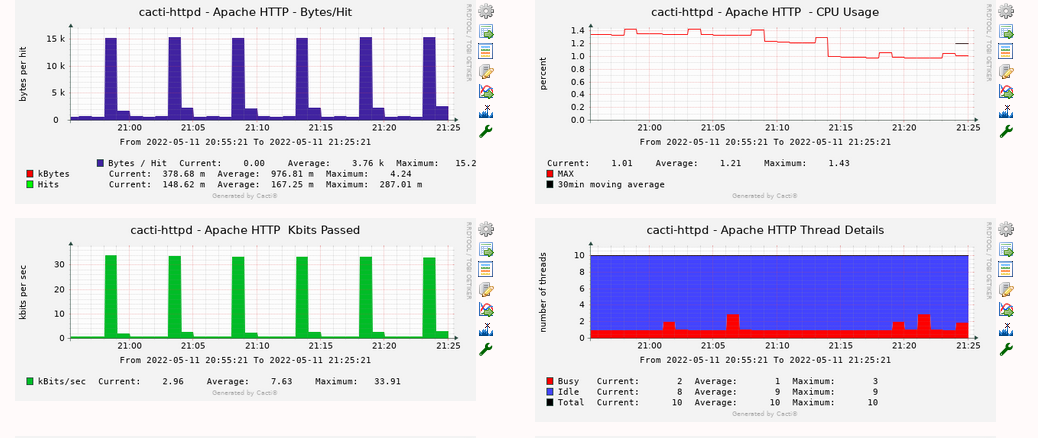
CentOS/RedHat Specific Configuration
For Centos/Redhat implementations the config will look as follows
Place the below config in /etc/httpd/conf/httpd.conf
LoadModule status_module modules/mod_status.so
ExtendedStatus On

<Location /server-status>
    SetHandler server-status
    Require local
</Location>
Debian Specific Configuration
Enable the apcache2 status module:
Place the below config into a new file (eg, 80-server-status.conf) within
/etc/apache2/conf-available
ExtendedStatus On

<Location /server-status>
    SetHandler server-status
    Require local
</Location
Then use the following commands to enable the stauts module and new
configuration Note: You must restart the apache ( systemctl restart apache2)
for the config to take effect
a2enmod status
a2enconf 80-server-status.confNote: This configuration restricts the /server-status url to local access
only via the Require local directive
Copyright (c) 2004-2024 The Cacti Group


